





Turn Any Shopify Order into a Pickup Order
The Via.Delivery app for Shopify normally knows an order goes to a pickup location because the shopper chose one at checkout. Many orders never pass through checkout: subscription and club renewals, draft orders created by customer service, reships, and orders your own systems create through the Shopify API. Via.Delivery can recognize those orders too, in two ways: a
Both are store settings that our team turns on for you. They're available on request: email support@via.delivery to enable them for your store.
via_point_id order attribute, and address matching.Both are store settings that our team turns on for you. They're available on request: email support@via.delivery to enable them for your store.
Assign a pickup location with via_point_id
Add one attribute to the Shopify order:
via_point_id, with the ID of an active Via.Delivery pickup location as its value.Order attribute (Shopify additional details / note attribute)
name: via_point_id
value: <Via.Delivery location ID, a UUID>When the order comes into Shopify with this attribute, Via.Delivery:
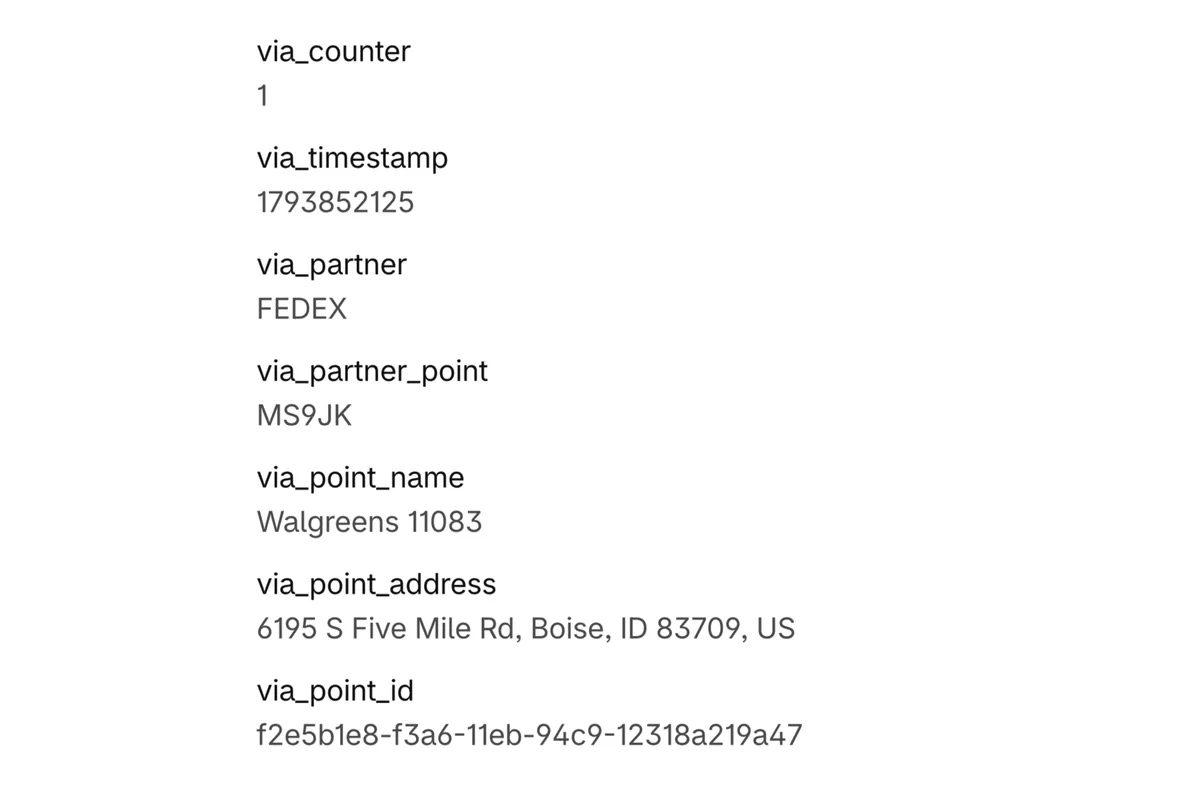
Once the order is converted, its additional details in Shopify admin show the pickup location: the carrier (
- checks that the ID belongs to an active pickup location;
- creates the pickup order on our side and fills in the Via.Delivery details on the Shopify order;
- updates the order in your connected systems, including fulfillment and warehouse systems such as Linnworks or Wineshipping, so the carrier label is created for the pickup location.
Once the order is converted, its additional details in Shopify admin show the pickup location: the carrier (
via_partner), the carrier's location code, the location name and address, and its via_point_id. In the example below, the order's shipping address in Shopify was also set to the pickup location.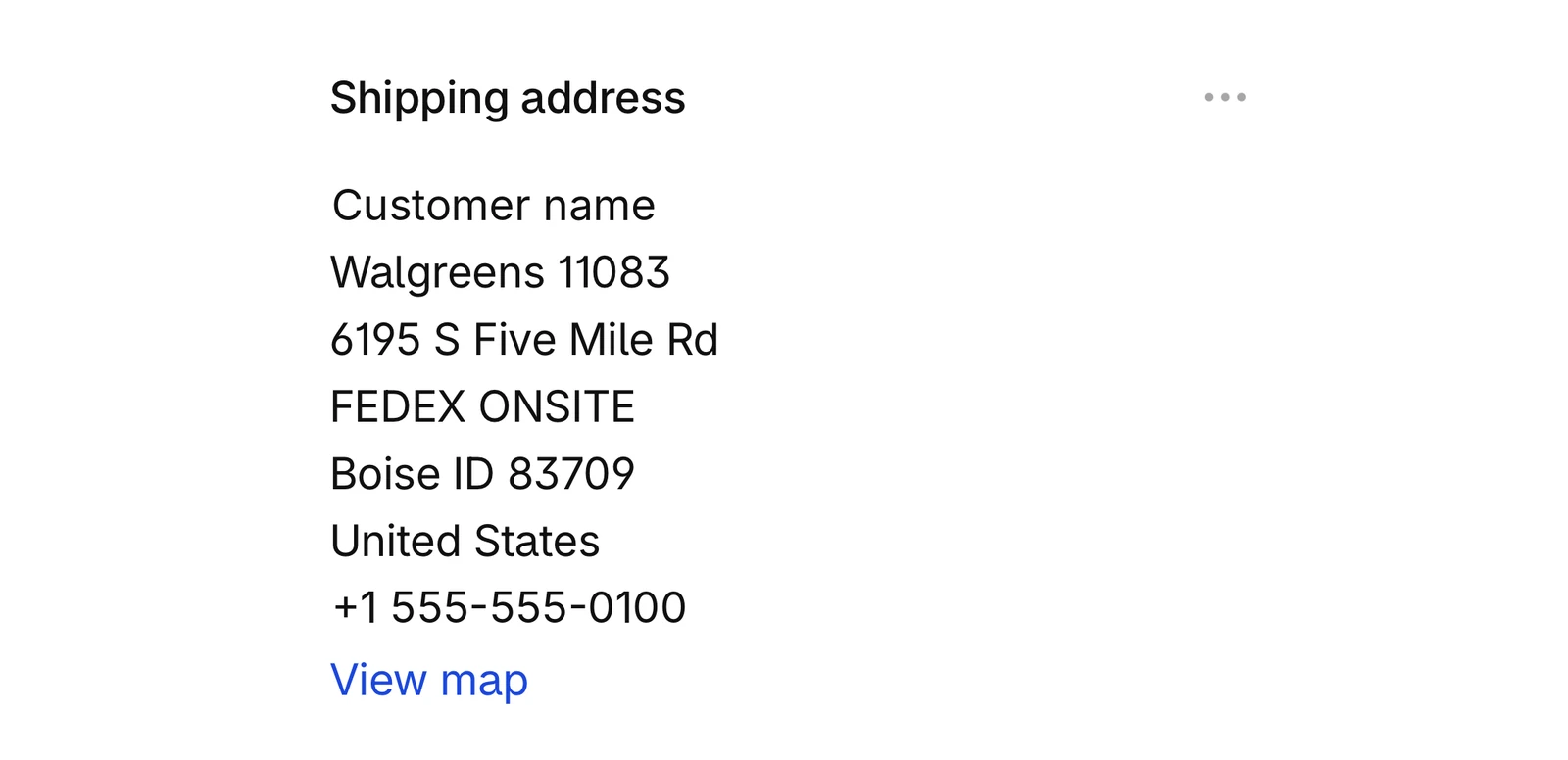
It's an order attribute, not a metafield. Writing the location ID into an order metafield doesn't trigger anything.
Where to get the location ID
- Our pickup location widget returns the ID of the location the customer selects. See the developer docs and the live widget demo.
- Our pickup location API returns nearby locations for an address and package weight and size. A location that is no longer available doesn't appear in the results, so the same call tells you whether a saved ID is still valid.
- A list of active locations with their IDs, which our team can export for you.
Address matching
When a new order arrives, we can also compare its ship-to address with our database of pickup locations. If the address matches a pickup location exactly, the order is converted to a pickup order automatically, and the Via.Delivery details and location ID are added to it.
Address matching needs an exact match: a retyped or corrected address won't be recognized. Use it as a backup, and use
Address matching needs an exact match: a retyped or corrected address won't be recognized. Use it as a backup, and use
via_point_id when you can.When to use it
| Order type | How it gets to a pickup location |
|---|---|
| Subscription and club renewals | Your subscription app adds via_point_id to each renewal for members who chose pickup |
| Reships and duplicated orders | Customer service makes sure the new order carries the via_point_id of the pickup location |
| Draft orders | Add the attribute while creating the draft |
| Orders created through the Shopify API | Your system adds one attribute instead of building a special shipping line |
Duplicating a pickup order but shipping the copy home? Remove the
via_point_id attribute from the copy, or it will go to the pickup location.Other ways to send a Shopify order to pickup
| Method | Who starts it | When |
|---|---|---|
| Pickup at checkout | The shopper | At checkout |
via_point_id or address matching (this page) | Your systems or your team | When the order comes into Shopify |
| BOPA-Redirect in Shopify admin | Your team, from the order page | Before the order ships |
| Pickup Redirect by email and text | The customer, after the order is placed | Before the order ships |
| "Redirect my future orders" | The customer, once | Every later order from your store |
FAQ
Do I need anything else on the order?
No. A
via_point_id that points to an active pickup location is enough.Can the customer's home address stay on the order?
Yes. The attribute tells us where the package goes; the home address can stay on the order.
What if the location is no longer active?
The order isn't converted to a pickup order. Check that a saved ID is still active with our pickup location API before you use it.
Can I fill in the Via.Delivery fields on the order myself?
No. Fields such as
viadelivery.point_id and viadelivery.point_data are written by Via.Delivery after we recognize an order. Filling them in by hand doesn't create the order on our side, and the label will fail. Use via_point_id instead.Does package weight matter?
Yes. Pickup locations have weight limits. If an order has no weight, we use a default weight that most locations accept, so send the real weight when you can.
How do I turn it on?
Email support@via.delivery. We enable
via_point_id and address matching per store.Not ready for a call?
Get the Via.Delivery Shipping Brief: short reads on carrier fees, holiday cutoffs and pickup options for online stores and wineries, twice a month.
No spam. Unsubscribe anytime.